Your day
There are two places to see your day: the Today tab beside the chat, for while you’re logging, and Food log, for looking back.
Today, beside the chat
Section titled “Today, beside the chat”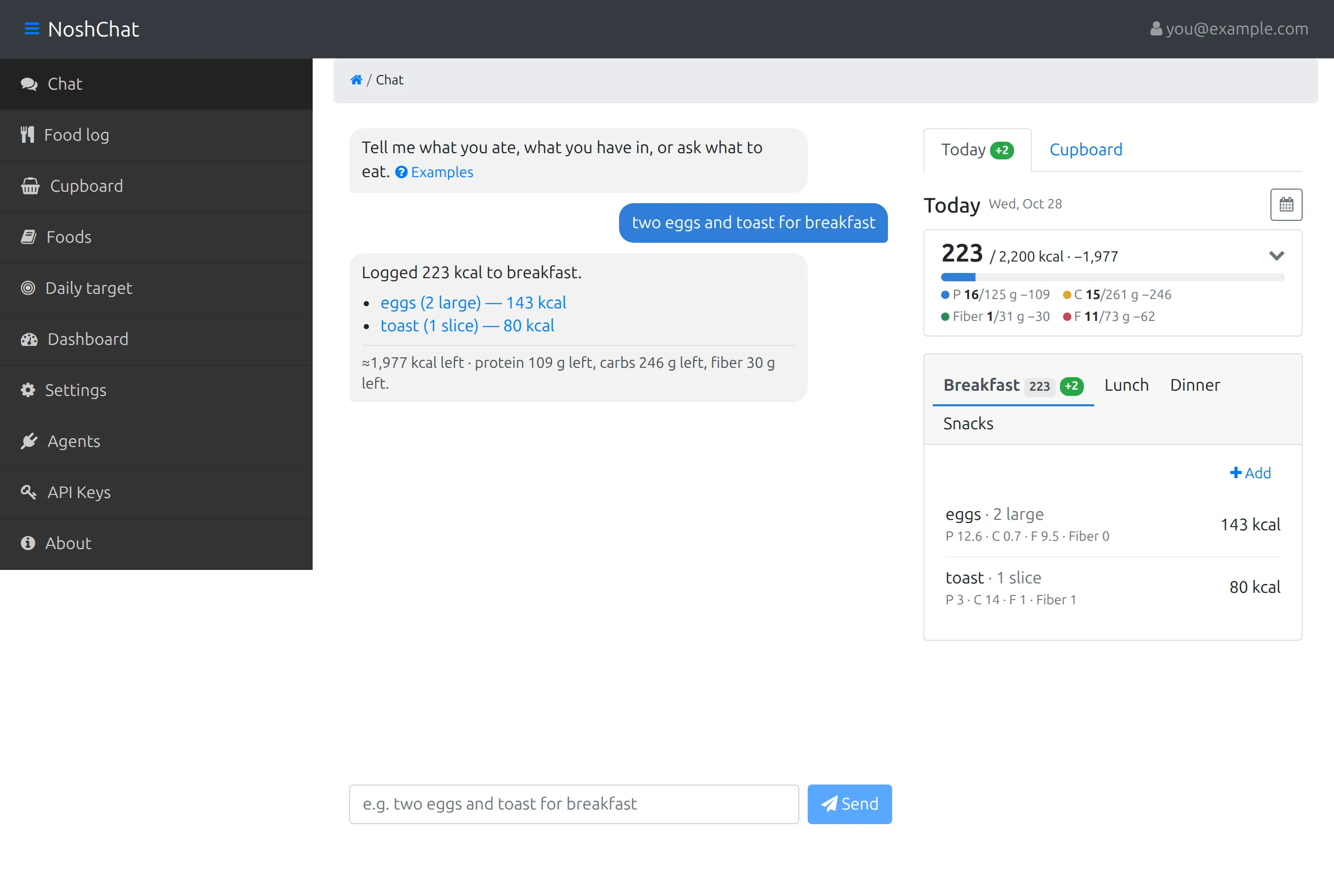
The panel on the right of the chat is today at a glance: calories eaten against your target, your macros, and a tab for each meal. It updates with every message, so you can log and watch the day add up in one place.
Food log
Section titled “Food log”Food log shows one day at a time. It opens on today; the arrows beside the date step back and forward a day, and Add food adds an entry by hand.
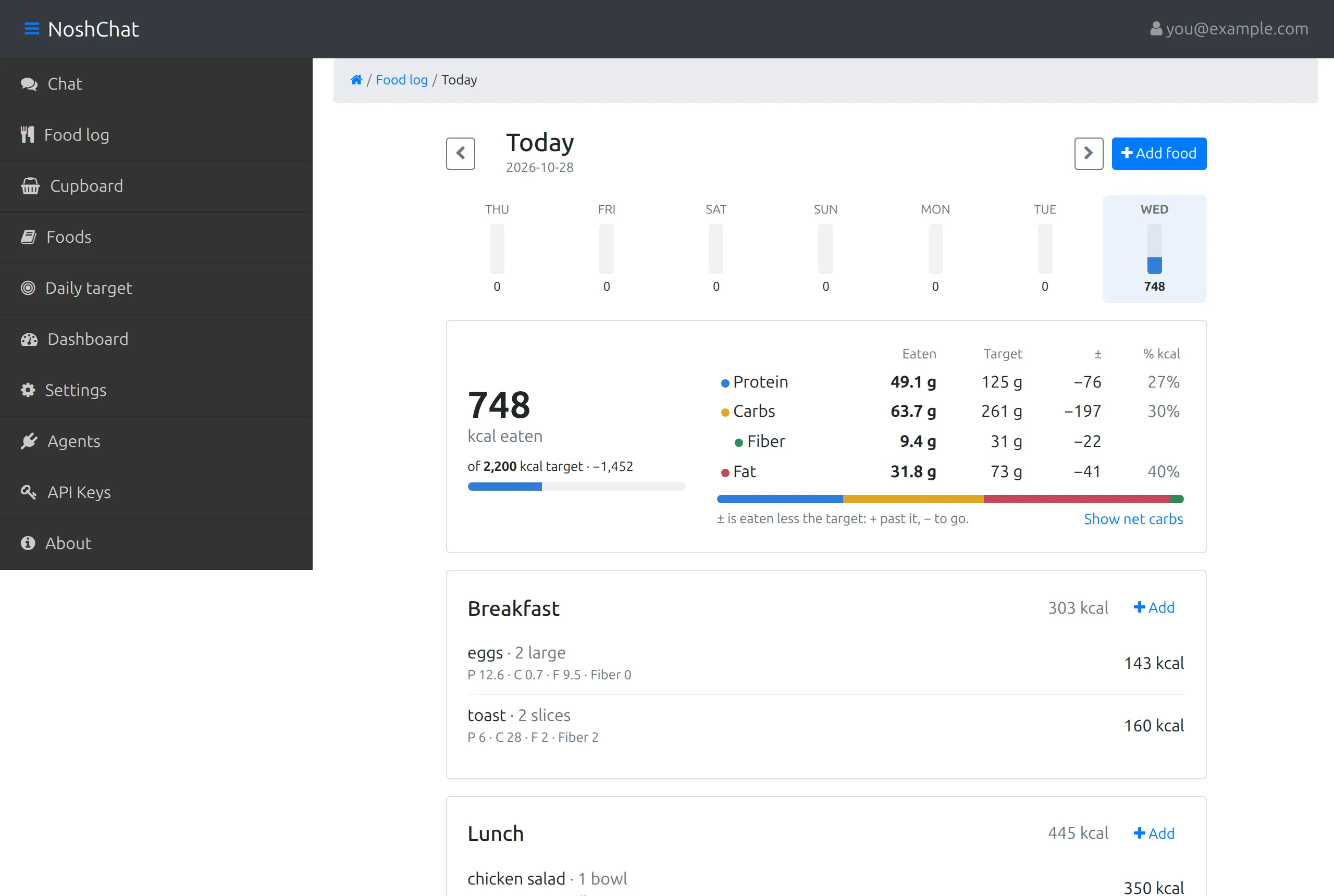
From the top:
- The week. A bar for each of the last seven days with its calories under it, today highlighted.
- The total. Calories eaten, “of 2,200 kcal target”, and how far you are from it, with a bar. Without a target, it links to Daily target instead.
- The macros. One row each for protein, carbs, fiber and fat: what you’ve eaten, your target, the difference (±), and its share of the day’s calories (% kcal), with a bar split by those shares. The difference is eaten minus target, so −40 means 40 g still to go and +12 means 12 g past it. A macro without a target shows a dash.
- The meals. A card per meal with its total and an Add link, and each entry with its serving, calories, and protein (P), carbs (C), fat (F) and fiber. Choose an entry to edit it.
Meal targets
Section titled “Meal targets”If you’ve given each meal a share of your target in Settings, every meal card shows its own target too, for example “620 of 880 kcal”, turning red once you’re over, with the same share of each macro target under it.
Training and rest days
Section titled “Training and rest days”If you’ve set training-day targets, a Rest day | Training day switch appears on the Today panel and on the Food log. Mark a day as a training day and it’s measured against your training targets. A day you don’t mark is a rest day. In the week strip, a training day has a bolt next to its name.