Daily target
Your daily target is how many calories you aim to eat in a day. Everything in NoshChat is measured against it: the Today panel, the Food log, and the chat’s line on where your day stands.
Working it out
Section titled “Working it out”Open Daily target and fill in six things: age, gender, weight (kg), height (cm), how active you are and your goal.
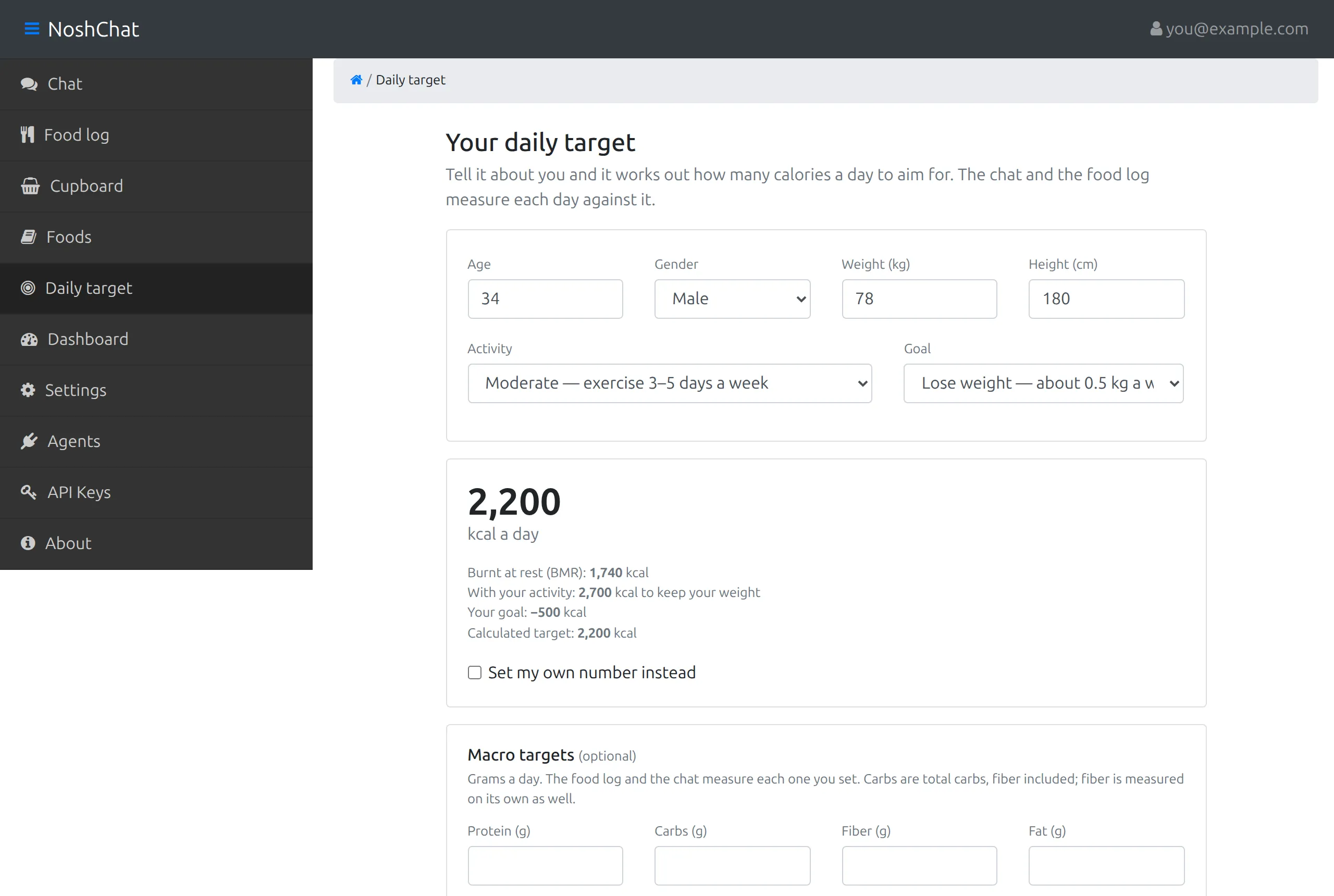
The number appears as soon as every field is filled in, and the lines under it show how it was reached. For a 34-year-old man, 78 kg and 180 cm, moderately active, who wants to lose weight:
| Step | How | Example |
|---|---|---|
| Burnt at rest | from your weight, height, age and gender (the Mifflin–St Jeor formula) | 1,740 kcal |
| With your activity | × 1.2 (sedentary) up to × 1.9 (very active) | 1,740 × 1.55 ≈ 2,700 kcal, which keeps your weight |
| Your goal | −500 kcal to lose about 0.5 kg a week, +500 to gain, 0 to keep | 2,700 − 500 = 2,200 kcal |
| Target | rounded to the nearest 10 | 2,200 kcal a day |
The target never goes below 1,200 kcal. If the formula comes out lower, the screen says so: eating less than that is usually only advised with a doctor.
Your own number
Section titled “Your own number”Tick Set my own number instead and type any number from 800 to 10,000. It replaces the calculated target and stays put, even if you later change your weight.
Macro targets
Section titled “Macro targets”Optionally, set a target in grams for protein, carbs, fiber and fat, each on its own. Leave any of them empty if you don’t want to track it.
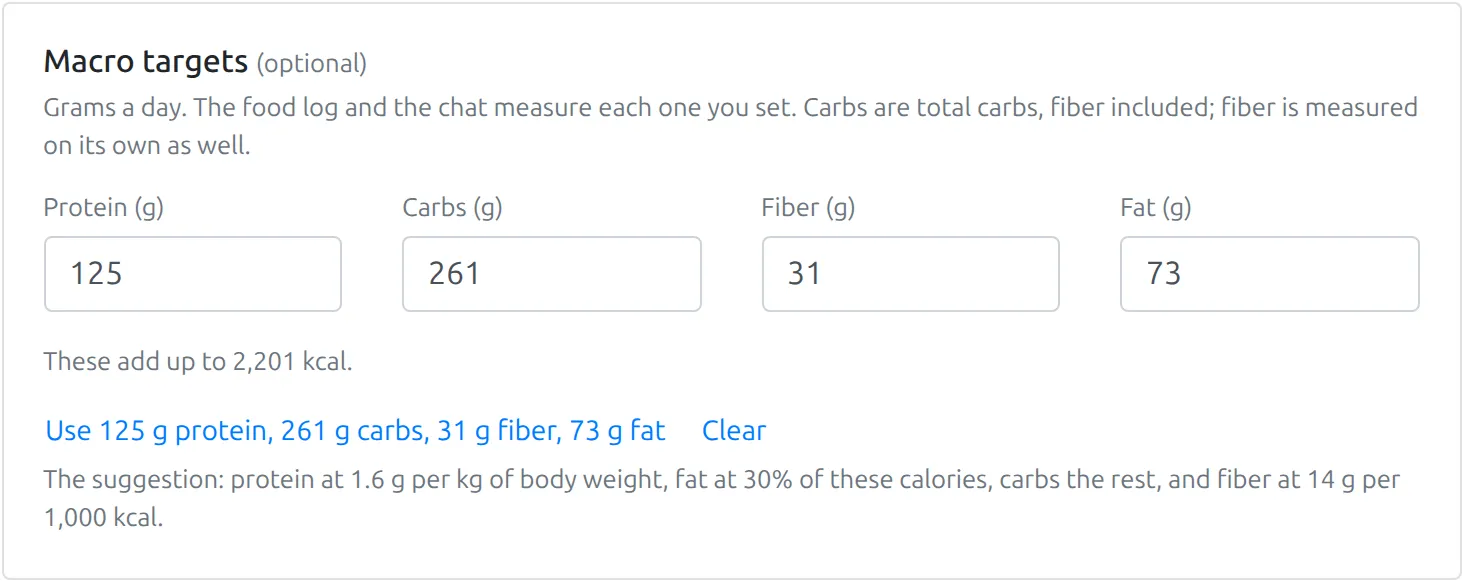
The Use … link under the boxes fills them with a suggestion to start from: here 125 g protein, 261 g carbs, 31 g fiber and 73 g fat. Clear empties them. The line above it says what the grams add up to in calories (2,201 kcal here), so you can see how they compare with your calorie target. The suggestion is:
| Macro | Suggested |
|---|---|
| Protein | 1.6 g per kg of body weight |
| Fat | 30% of your calories |
| Carbs | the rest of your calories |
| Fiber | 14 g per 1,000 kcal, counted inside the carbs |
Change any of them to suit you. Choose Save target to keep them.
Training days
Section titled “Training days”Tick Different targets on training days to set a second calorie target, and optionally second macro targets, for the days you train. They start from your rest-day numbers.
Then mark a day as a training day with the Rest day | Training day switch on the chat’s Today panel or the Food log, and that day is measured against your training targets. See Your day.