Getting started
NoshChat is a food log you talk to. You tell the chat what you ate, and it works out the calories, protein, carbs, fat and fiber, saves each food as an entry, and keeps the day’s count against your daily target.
Getting set up takes a couple of minutes.
-
Create an account
Go to noshchat.runat.app and choose Sign Up. You’ll create your account on the sign-in page, then come back to NoshChat signed in. Next time, choose Sign In.

This is the page you see when you’re signed out. Sign Up creates a new account; Sign In is for an account you already have.
-
Set your daily target
Open Daily target from the menu and fill in your age, gender, weight (kg), height (cm), how active you are and your goal: lose weight, keep it, or gain. Your target appears as you type, with how it was worked out:
- what you burn at rest,
- what you burn with your activity, which is what keeps your weight the same,
- and the change for your goal, about 500 kcal a day either way.
If you already have a number from a coach or a dietitian, tick Set my own number instead and type it in.
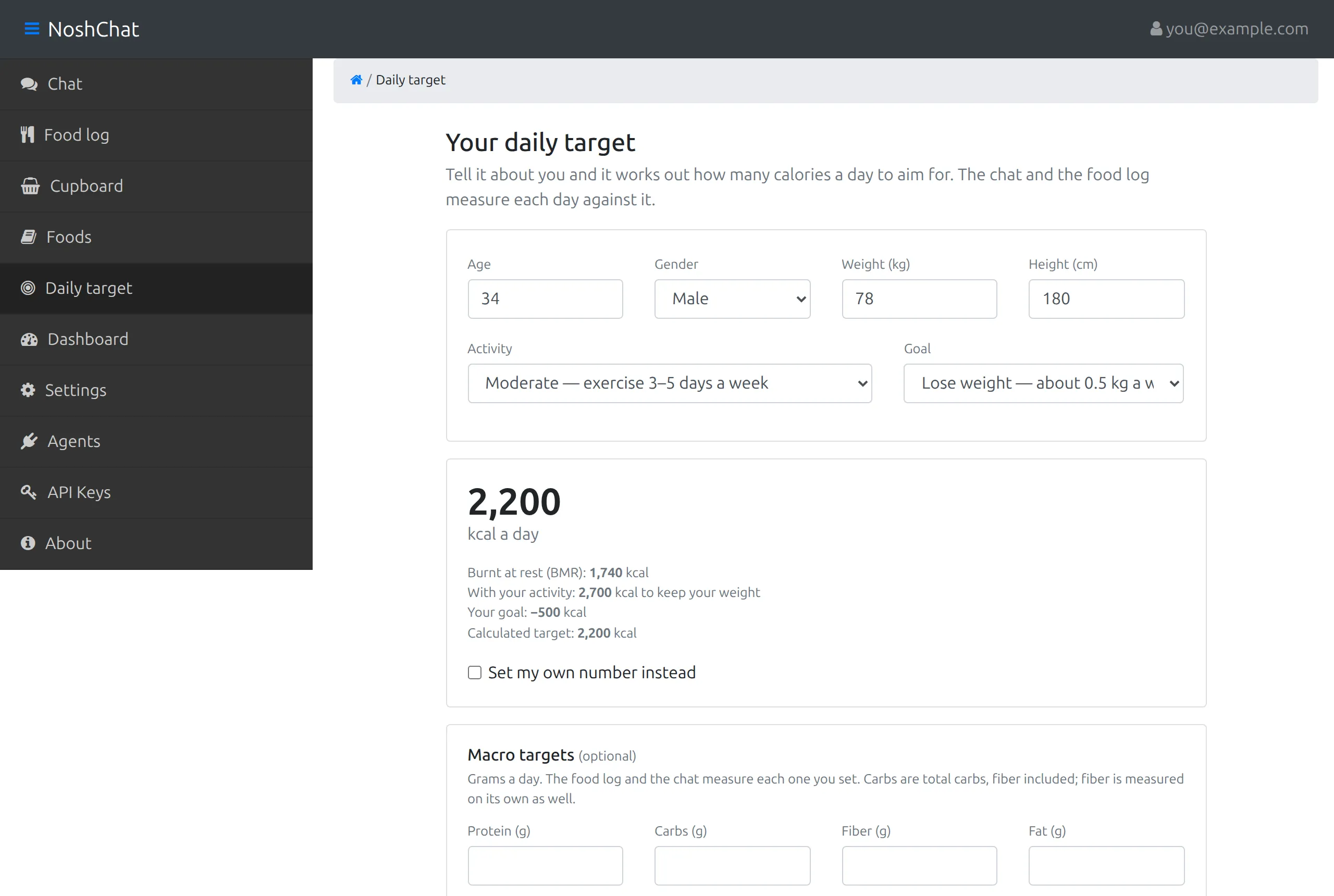
The six fields are at the top. Under them, the big number is your target, 2,200 kcal a day here, and the lines under it show how it was reached: 1,740 kcal burnt at rest, 2,700 kcal to keep your weight with this much activity, and −500 kcal for the goal of losing weight.
Choose Save target. You can change it whenever you like. More about the daily target →
-
Log your first meal
Open Chat and tell it what you ate:
two eggs and toast for breakfast
The reply says what was logged, such as Logged 223 kcal to breakfast., lists each food with its calories, and ends with a line on where your day stands. The Today tab beside the chat shows the day’s totals against your target.
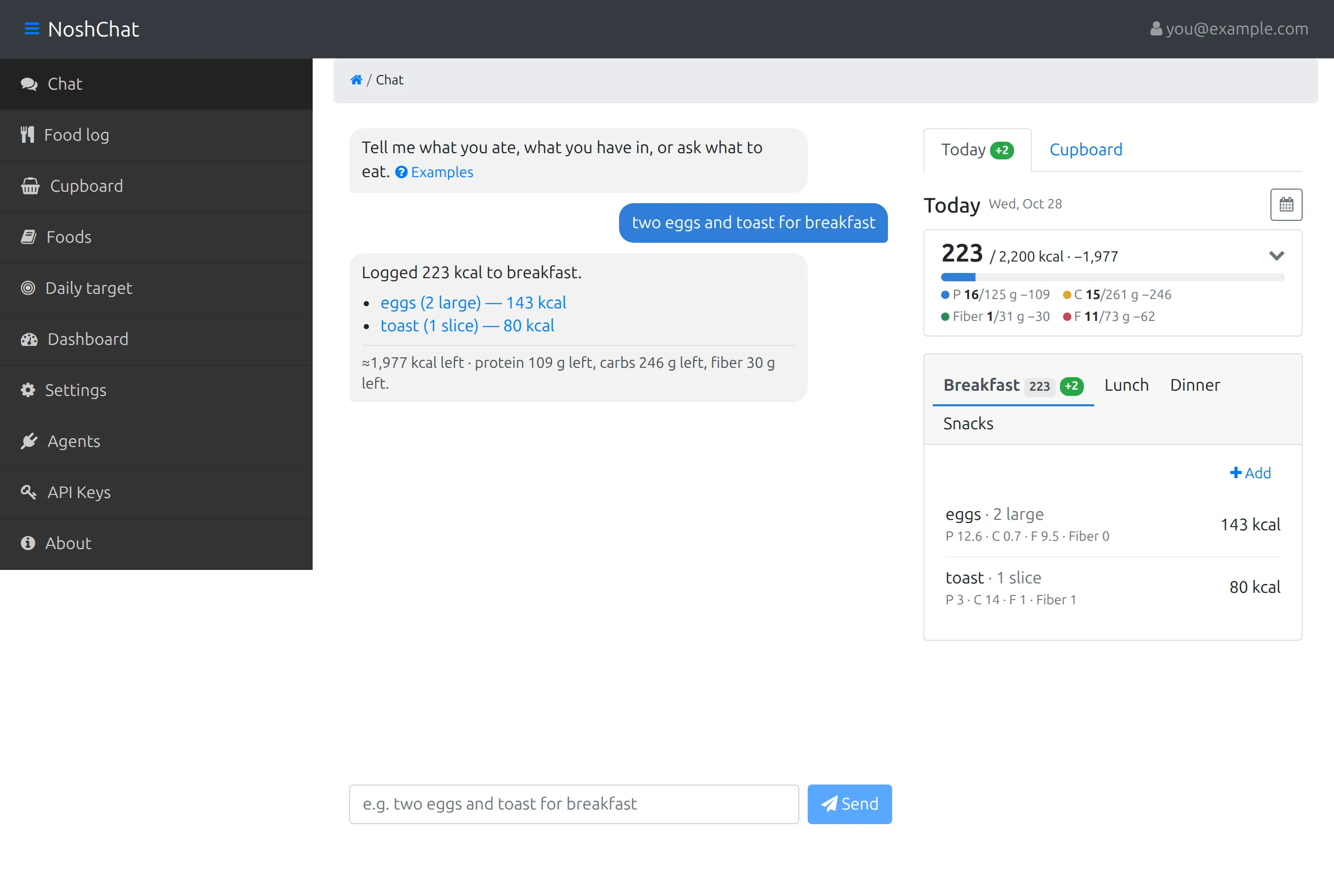
On the left is the conversation: your message in blue, and the reply listing each food it logged, with a line under it on what’s left of the day and which macros are short. On the right, Today shows the day so far: calories eaten of the 2,200 kcal target, with a bar, then protein (P), carbs (C), fiber and fat (F) as eaten / target and how much is still to go. Under that is a tab for each meal, listing what’s in it. The green +2 marks the two entries the message just added.
What to try next
Section titled “What to try next”- Fix something: “make that lunch”, “it was 50 g, not 30 g”, “remove the toast”. See Logging food.
- Tell it what you have in: “I have eggs, greek yogurt, rice and tortillas”. See Cupboard.
- Ask what to eat: “what should I have for dinner?” The answer is sized to what’s left of your day and built from your cupboard.
- Look at your week: Food log shows a day at a time, with a bar for each day of the week. See Your day.