Cupboard
Your cupboard is the food you have in. It’s what suggestions are built from, and it keeps itself up to date as you eat.
What matters is that you have something, not exactly how much. You can add an amount (“a dozen”, “half a bag”), but you don’t have to.
Telling the chat
Section titled “Telling the chat”The quickest way to fill it is to tell the chat:
I have eggs, greek yogurt, rice, chicken breast, broccoli, tortillas and black beans
I bought rice
we’re out of milk
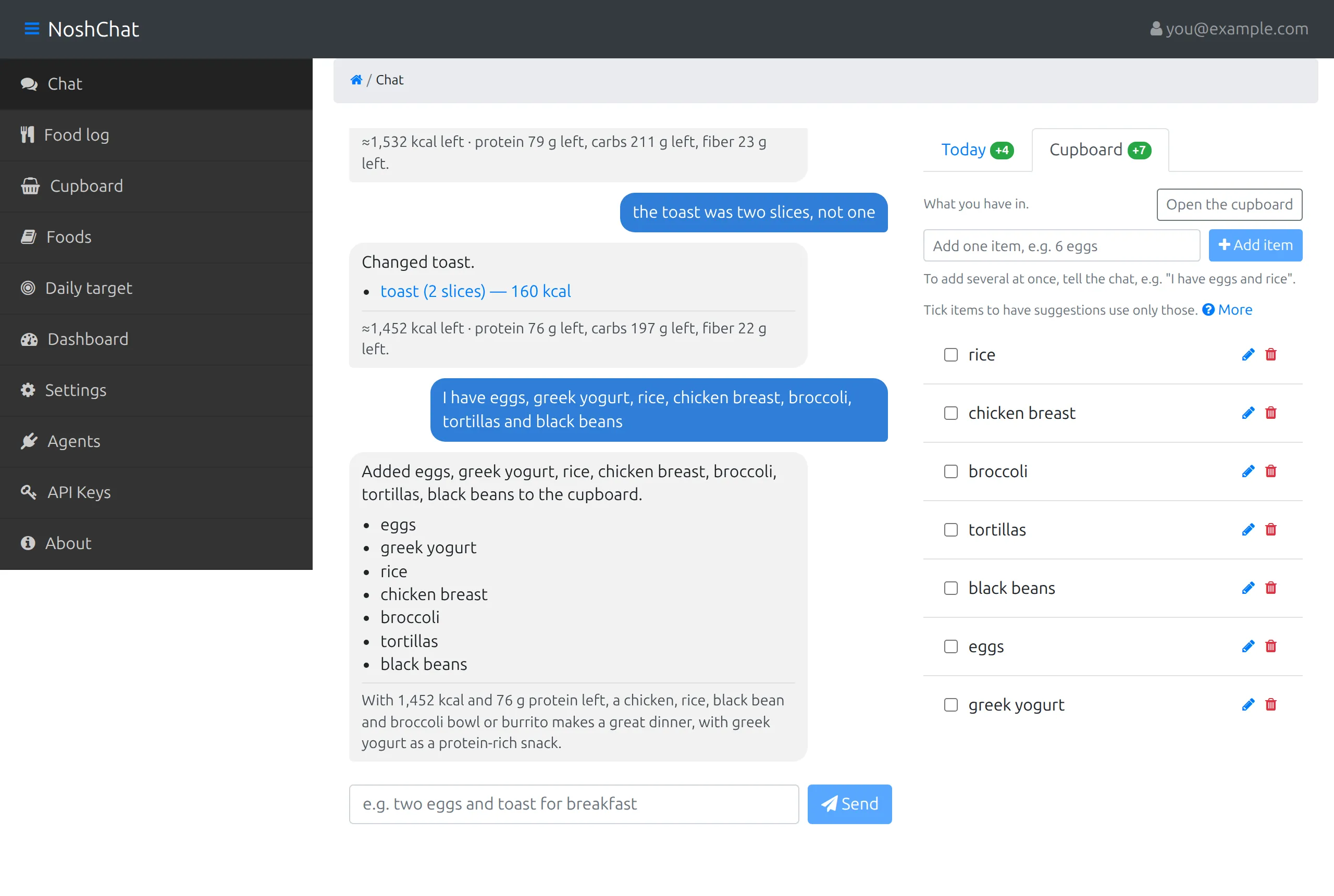
The reply says what was added, changed or removed and lists the items, with a line under it on what they could make. The Cupboard tab beside the chat shows the list, with a +7 for the seven items that went in. Each item has a tick box (for suggestions), a pencil to edit it and a bin to remove it. The tab has its own add line for one item at a time, and Open the cupboard goes to the full page.
Skipping a food for the day (“no bread today”) leaves it in the cupboard. Only saying it ran out (“no bread left”) or asking to take it off removes it.
The Cupboard page
Section titled “The Cupboard page”Cupboard in the menu shows the same list, where you can add, change and remove items by hand.
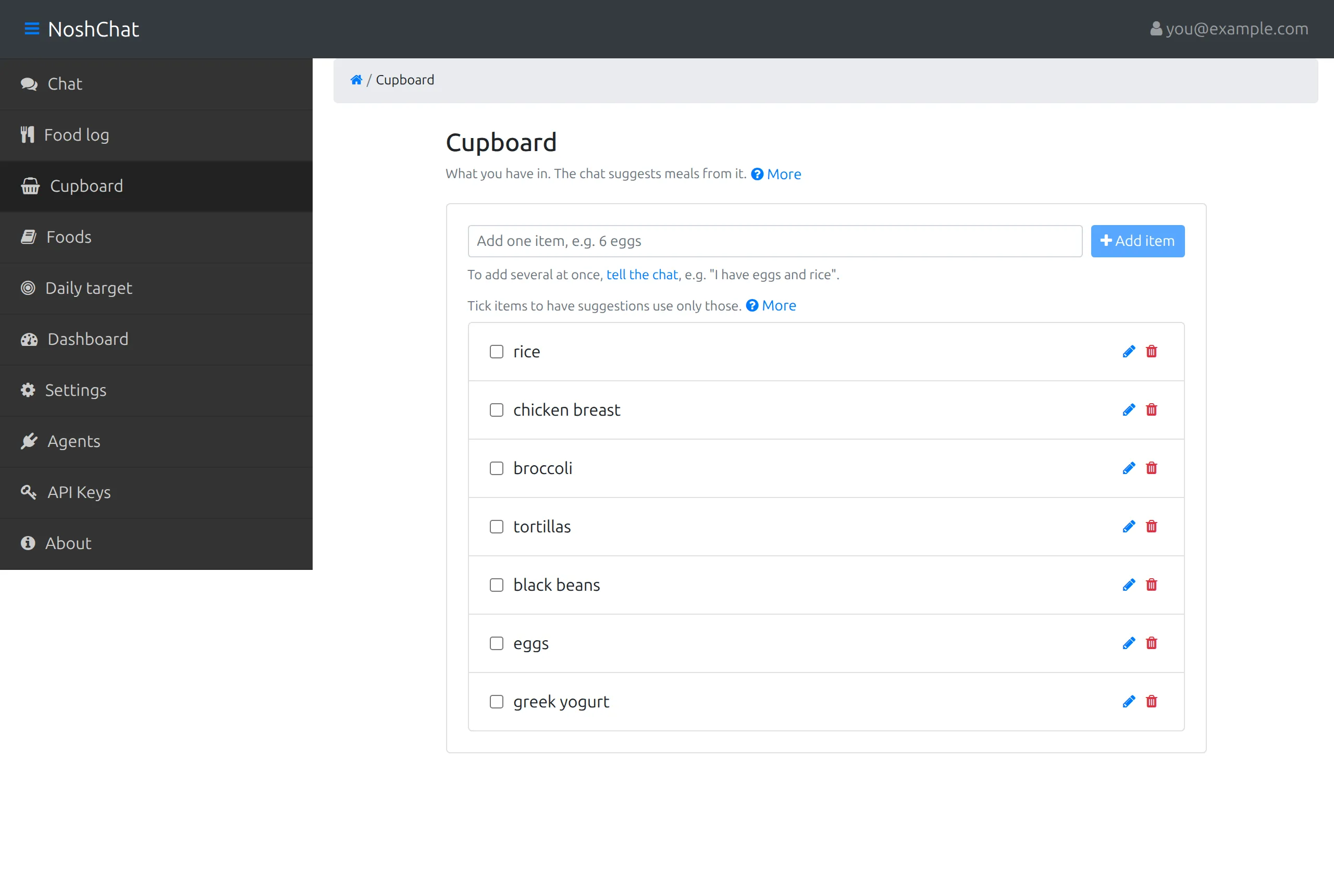
- The add line takes one item at a time, such as “6 eggs”. It fixes the spelling, separates the amount from the name, and if the food is already there, adds to it instead of listing it twice. To add several at once, tell the chat.
- Each item can be edited (name and amount) or removed. Remove doesn’t ask first: an item is one line to type back in.
Eating takes from it
Section titled “Eating takes from it”When you log food in the chat, whatever came out of the cupboard is taken off it:
- an item that’s finished is removed,
- an item with an amount goes down (“6 eggs” becomes 4 after “I had two of the eggs”),
- an item without an amount stays: you still have some.
Buying and eating in one go works too: “I bought 400 g of chicken breast and had 100 g” logs the 100 g and puts 300 g in the cupboard.
Getting suggestions from it
Section titled “Getting suggestions from it”Ask the chat what to eat, and the suggestion is built from your cupboard. To choose what it uses, tick items on either list. They’re marked selected, and the next suggestion uses only those, topped up with things to buy if they aren’t enough for a meal. Clear all unticks them.
The items a suggestion used are ticked for you, so you can see what it picked. Ticks only last in your browser until you reload.